
Yahoo News: Daily News For You
YahooNews & Magazines
4.544.41K Reviews
- Version
- 93.0
- Installs
- 10.00M
- Age Rating
- Everyone 10+
Screenshots



Our Review of Yahoo News: Daily News For You
 Analysis by Appyee
I find Yahoo News: Daily News For You most useful as a quick, customizable way to keep up with several kinds of news without opening a collection of separate publisher apps. It is a free news and magazines app from Yahoo, and its main appeal is simple: it brings breaking alerts and broader coverage into one place, then lets my interests influence what appears in the reading experience.
That convenience comes with an important trade-off. A personalized news feed saves time, but it can also make it easy to read only the subjects I already follow. For me, the app works best as a daily starting point rather than a complete replacement for direct reporting, specialist publications, or a carefully chosen list of newsletters.
How Yahoo News fits into everyday reading
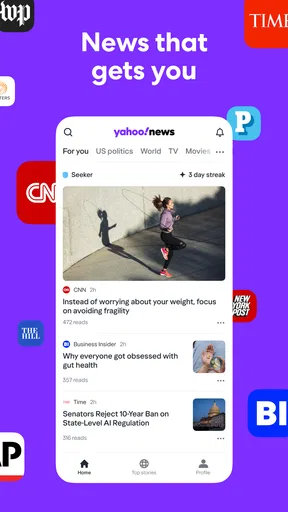
When I open the app with only a few minutes available, I can scan current headlines instead of deciding which website to visit first. That makes it a natural companion during a commute, a lunch break, or the quiet moment before starting work. The mix of immediate updates and more in-depth stories gives the app two different jobs: it can tell me what is developing now, while also offering material that deserves more than a headline glance.
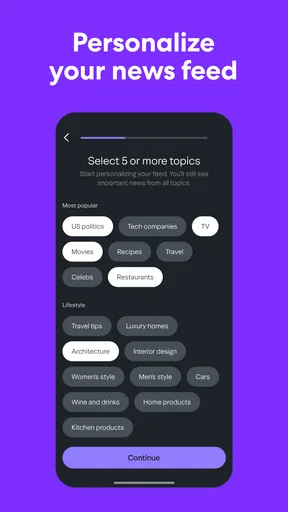
The personalized approach is particularly helpful when my interests are spread across unrelated areas. Someone might want national events, technology, entertainment, sports, and business in the same reading session. Yahoo News is better suited to that broad habit than an app built around one publication or one subject. I do not have to commit every morning to a single editorial lane.
Yahoo has been developing the app since October 5, 2010, so it is not a new experiment in mobile news. The current version is 93.0, and it supports devices running Android 7.0 or later. That broad compatibility is useful for people who keep an older phone, although anyone using a very old device should still expect the experience to depend on the phone’s speed and available storage.
The app is rated for Everyone 10+, which is a sensible reminder that general news can include serious or unsettling subjects even when the application itself is easy to use. I would not hand it to a young child as an unsupervised entertainment app. Its purpose is staying informed, and the tone of individual stories can vary because the feed covers many areas of public life.
What makes the feed genuinely useful
The strongest part of the experience is the combination of breadth and immediacy. A single news source may offer excellent reporting but leave gaps in subjects outside its focus. Yahoo News makes it easier to notice those gaps. I can begin with the main headlines, follow an alert about a developing event, and then move to a longer article when I want context.
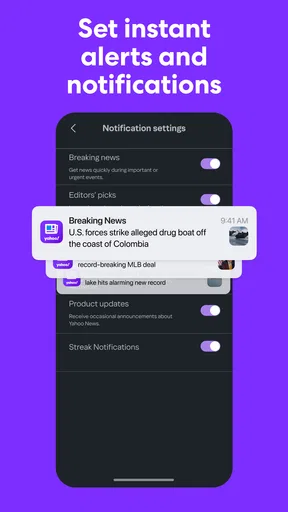
Alerts are valuable when I use them selectively. I prefer notifications for major developments that I would genuinely want to know about soon, rather than allowing every possible update to interrupt the day. This is one of the first practical adjustments I would make after installing the app: treat alerts as a filter I control, not as a stream that controls my attention.
A useful routine is to check the app twice instead of leaving it open constantly. In the morning, I scan the leading stories and save mental notes about anything that may affect my plans. Later, I return for updates on the stories that are still developing. This approach gives the app room to provide timely information without turning every headline into an urgent task.
The personalized feed also has a less obvious benefit: it can reveal when my interests have become too narrow. If I deliberately include a few subjects I do not normally seek out, the app becomes a broader window on the news rather than a mirror of my existing preferences. I still need to judge the quality and importance of every story, but the wider mix can prevent my reading routine from becoming repetitive.
Reading beyond the headline
News apps often encourage fast scrolling, and Yahoo News is no exception in spirit. The danger is stopping at the first line and assuming I understand the event. I get more value from it when I use the headline as a prompt, then open the full article and look for the publication, the date, the location, and the difference between confirmed information and commentary.
That habit matters especially with breaking news. Early reports can change as more details become available. An alert may be useful for telling me that something has happened, but it is not automatically enough to explain why it happened or what comes next. For major stories, I compare the article with direct coverage from a trusted specialist source or the relevant organization.
This is where the app’s broad approach is both a strength and a weakness. It helps me discover stories from different areas, but discovery is not the same as deep expertise. A reader researching financial decisions, medical subjects, local legal issues, or technical developments may need a dedicated source with a clear editorial focus. Yahoo News can point me toward the topic, but I would not make it my only authority for a high-consequence decision.
I also find that the app suits readers who enjoy variety more than those who want one consistent publication voice. If I already know that I prefer the reporting style, analysis, and corrections process of a particular newspaper or magazine, that publisher’s own app may feel more coherent. Yahoo News is more like a news shelf with many sections than a single magazine delivered to the phone.
A realistic day with the app
Imagine I am preparing for a busy day and have only a few minutes with my coffee. I open Yahoo News, scan the main stories, and read one article connected to an event that may affect my plans. I then check the subjects I care about most, rather than scrolling indefinitely. If an important update arrives later, the alert gives me a reason to return, while less urgent stories can wait until the evening.
That workflow is more practical than trying to read everything. The app cannot turn a short break into a complete understanding of the day’s events, and I do not expect it to. Its value is helping me choose where to spend my limited attention. I can identify the stories that deserve a deeper look and ignore the rest without opening a dozen browser tabs.
For a student, the same workflow can support a daily current-events habit. For a commuter, it offers a quick overview before work. For someone who follows several subjects, it reduces the friction of switching between sources. The common advantage is not that every story is equally important; it is that the app makes the first pass faster and more organized.
Where the experience needs discipline
The biggest limitation is the risk of confusing personalization with completeness. A feed shaped around my interests may feel relevant, but relevance can hide missing context. If I only read stories that match previous choices, I may overlook important developments that do not fit my usual topics. I recommend occasionally stepping outside the familiar subjects and checking a broader news overview.
Notifications can create a second kind of friction. Breaking alerts are useful when they are meaningful, but too many interruptions make every update feel equally urgent. I would spend time adjusting which alerts I want and then reassess that choice after a few days. If the phone begins to dictate my reading schedule, the feature is no longer serving me well.
Another limitation is that a general news app cannot satisfy every local or specialist need. People who mainly want neighborhood reporting may be better served by a strong local publication. Readers who want long-form analysis may prefer a magazine subscription or a focused newspaper app. Users who need sports scores, market data, or technical reporting in great depth should choose tools designed around those specific purposes.
I also would not recommend relying on a headline feed when accuracy is critical. The responsible workflow is to open the article, identify its source, read the relevant details, and compare important claims with another reputable source. That is not a flaw unique to Yahoo News, but the app’s convenience makes this reminder especially important: fast access should lead to better reading, not replace it.
Who should install it
I think Yahoo News is a good fit for readers who want one free place to browse a wide range of current events and receive timely updates. It is especially appealing if I do not want to build my own collection of publisher apps, or if my interests change from day to day. The app’s broad coverage makes it easier to move from a major headline to another subject without starting over somewhere else.
It also suits people who are trying to build a manageable news routine. Rather than promising to read every article, I can use the app as a morning briefing, a source of follow-up stories, and a way to notice topics worth researching. The best results come from setting boundaries: choose useful interests, keep alerts selective, and reserve time for full articles instead of endless headline scrolling.
Its audience is substantial, with over ten million installs, and the app holds a 4.5 average from around two hundred forty-four thousand ratings. Those figures suggest that the general formula works for many readers, while the roughly forty-four thousand written reviews show that people have spent time expressing more detailed reactions. I see that popularity as evidence of reach, not proof that the app will match every person’s preferred editorial style.
Someone who wants a single newspaper’s identity, investigative depth, or local reporting should probably look elsewhere or use Yahoo News alongside that source. I would also suggest another option for anyone who dislikes personalized feeds, finds notifications distracting, or wants complete control over the order and origin of every story. In those cases, a direct publisher app, a reading list, or a carefully selected newsletter may feel calmer and more predictable.
Value, access, and long-term usefulness
The app costs nothing to download and use, which lowers the barrier for casual readers who want to improve their awareness of current events without paying for several subscriptions. That free access is one of its clearest practical advantages. It makes the app easy to test for a week, adjust to personal habits, and remove if the feed does not fit the way I prefer to read.
Because it is available for Android devices running version 7.0 or newer, many existing phones can use it without requiring a recent upgrade. I would still judge the experience on the individual handset: an older phone may handle a news feed differently from a newer one, especially when moving quickly between articles. The operating-system requirement itself is not demanding, but smooth everyday use always depends on the device.
Yahoo is the developer, and the app has the advantage of a recognizable destination for people who already associate the company with online information services. That familiarity may make the setup feel less intimidating for a first-time news-app user. Still, familiarity should not replace personal judgment. I would evaluate the actual feed, the alert frequency, and the quality of the stories I receive rather than assuming the app is automatically right for me.
One practical tip is to give the feed enough time to become useful without treating its first impression as permanent. My interests change, and the stories I want during a major event may not be the stories I want during an ordinary week. Revisiting those choices keeps the app from becoming stale. The goal is not to create a perfect feed once, but to maintain a reading mix that remains useful.
My verdict after weighing the trade-offs
I recommend Yahoo News as a flexible news companion, not as the only place I would turn for serious information. Its best qualities are the wide range of subjects, the convenience of breaking alerts, and the ability to shape the reading experience around personal interests. Those strengths are meaningful for anyone who wants a quick overview without managing many separate apps.
Its weaknesses are equally clear: personalization can narrow attention, alerts can become distracting, and broad coverage cannot provide the depth of a specialist publication. The app rewards readers who take an active role in managing it. If I adjust notifications, vary my interests, read beyond headlines, and verify important claims, it becomes much more valuable than a passive scrolling tool.
For my own use, the clearest recommendation is this: install it if you want a free, broad daily news hub and are comfortable making your own choices about what deserves deeper reading. Skip it if you want one consistent editorial voice, highly focused local reporting, or a quiet reading experience with no temptation to chase every update. Used with that understanding, Yahoo News is a practical way to stay connected to the day’s conversation while keeping enough control over my attention.
Verdict
Strengths of Yahoo News: Daily News For You
- Personalized news feed based on your interests and reading habits.
- Covers local, national, and international stories in one app.
- Includes breaking news alerts for important developing events.
- Offers reporting from multiple publishers and news sources.
- Clean layout makes headlines easy to scan quickly.
Limitations of Yahoo News: Daily News For You
- Personalization may create a narrow view of opposing opinions.
- Frequent notifications can feel excessive without careful settings.
- Some articles open on external publisher websites.
- Advertising can interrupt browsing and consume screen space.
- Content quality and availability vary by region and source.
Other Releases by Yahoo
View All
Yahoo Mail: Email & Planner
Communication4.2

Yahoo Sports: Scores and News
Sports4.7

Yahoo Finance: Stocks & News
Finance4.6

Vetted AI Smart Shopping Agent
Shopping4.3
Similar Picks in This Category
View All
Google News - Daily Headlines
Google LLC4.0

X
X Corp.4.8

Flipboard:Your Social Magazine
Flipboard3.4

Opera News: breaking & local
Opera4.5

Hindi News by Dainik Bhaskar
Dainik Bhaskar Group4.0

Way2News Daily News App
Way2News ( Formerly Way2SMS )4.6
Frequently Asked Questions
What is Yahoo News: Daily News For You?
Yahoo News: Daily News For You is a news aggregation app that brings together headlines and stories from multiple publishers in one place. It covers subjects such as world events, politics, business, technology, entertainment, sports, and local news. The app is designed to help users browse current stories quickly while also offering personalized recommendations based on their interests and reading activity.
How does Yahoo News personalize the stories I see?
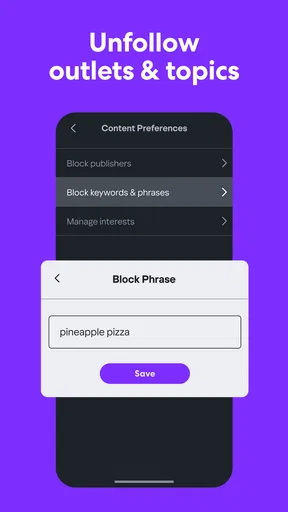
Yahoo News can tailor your news feed according to the topics, publishers, locations, and types of stories you follow or read. As you use the app, its recommendations may become more relevant to your interests. You can usually manage preferences, follow subjects, and adjust notifications, although the exact options may vary by device, account settings, region, and the version installed from the app store.
Is Yahoo News free to download and use?
Yahoo News is generally free to download and use, allowing users to browse headlines and read a wide selection of articles without paying a subscription. However, some stories may link to publishers that require registration, a subscription, or payment for full access. The app may also display advertising, and available content or premium restrictions can differ depending on your country and the source of each article.
Does Yahoo News publish its own articles or show content from other sources?
Yahoo News combines news coverage from Yahoo and a range of external publishers, agencies, and media organizations. When you open a story, you may be taken to the original publisher’s website or an in-app reading view, depending on how that article is provided. Because stories come from different sources, writing style, depth, editorial standards, advertising, and access requirements can vary considerably.
Can I receive breaking-news alerts and control notifications?
Yes, Yahoo News can provide notifications for breaking news, important developments, and topics selected according to your interests. During setup, you may be asked to allow notifications, and you can normally change these permissions later through the app or your phone’s system settings. It is worth reviewing the alert categories because frequent breaking-news notifications may be distracting, especially during fast-moving news events.
